The gap

A shop steward already worked the day. Then the second job starts: who was on, the hours, the call-outs, the concern a brother or sister raised, and the weekly report the local expects. That work is a notebook, a text, and a form copied by hand after the crew goes home. The record does not organize itself. Memory fails. The foreman’s notes become the file if yours are not written.

Stewie is that second job, done while the day is still true. SiteStew replaces the notebook. The hours, the names, the weekly report, and the complaints are in one place, instead of on paper that gets lost in the gang box. The steward holds the account. The member sees only his or her own page.
Three fights you stop having

  • “I was here at 7.”

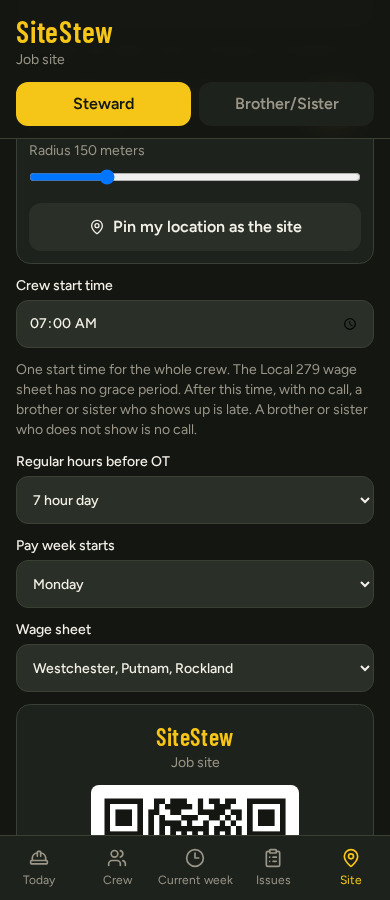
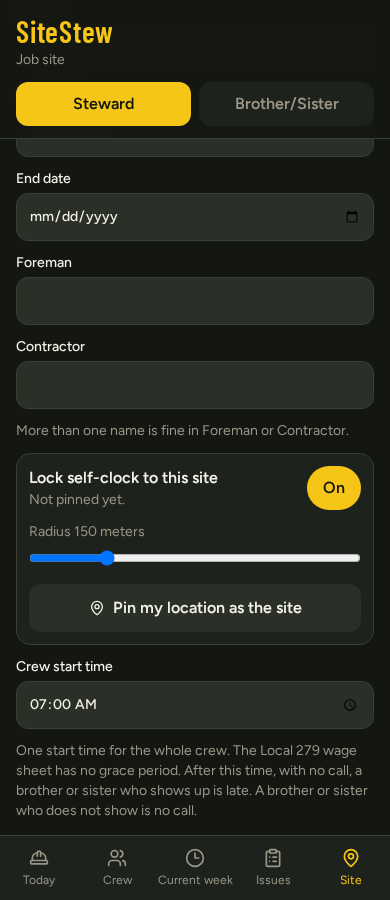
    Clock-in is locked to the site pin. Either the phone was there or it was not.

  • “They owe me OT from last month.”

    Every week is saved the day it is worked. Pick the week. The sheet opens. You do not count backward.

  • “Did the report go in?”

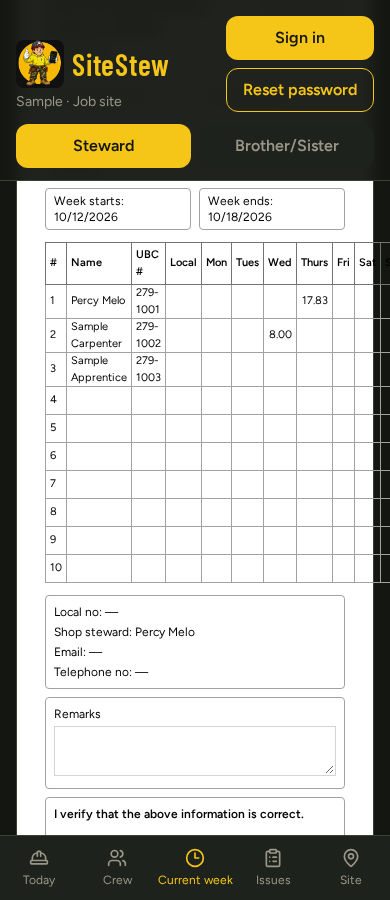
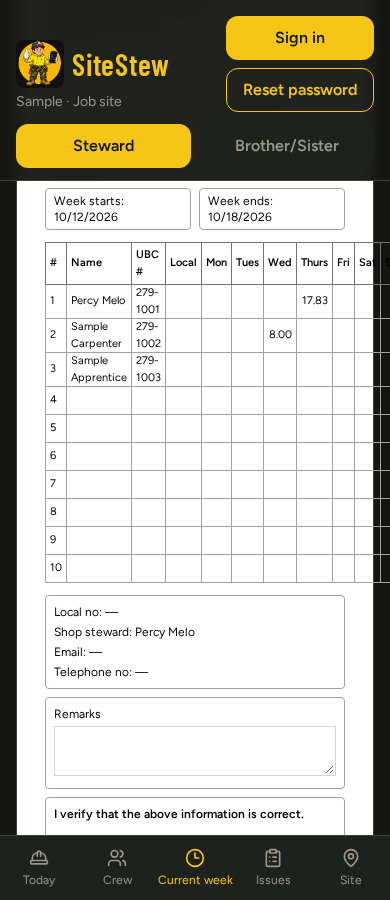
    The weekly report fills itself from the hours. Print it to sign, or email it to your local.

TodayA member on Today

Today

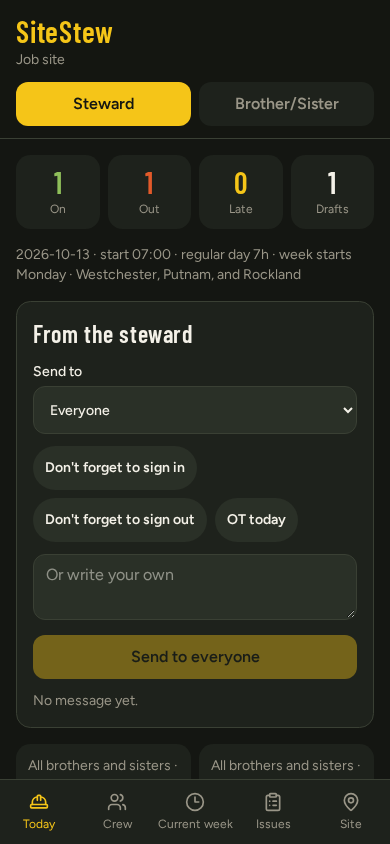
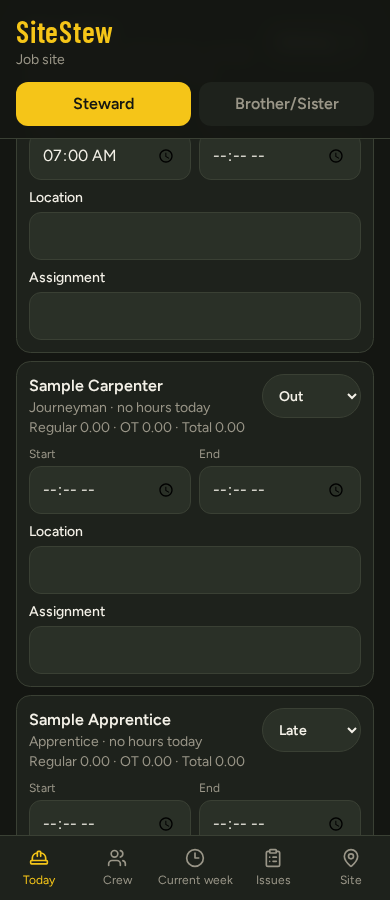
The live board. Who is on, who is out, who is late, with a start, an end, a location, and an assignment. After the start time, with no call, showing up is late. Not showing is no call. A missed clock-out is one line. You do not rebuild the day. Send a message to everyone, or to one name: sign in, sign out, OT today, or your own words.

CrewQR

Crew

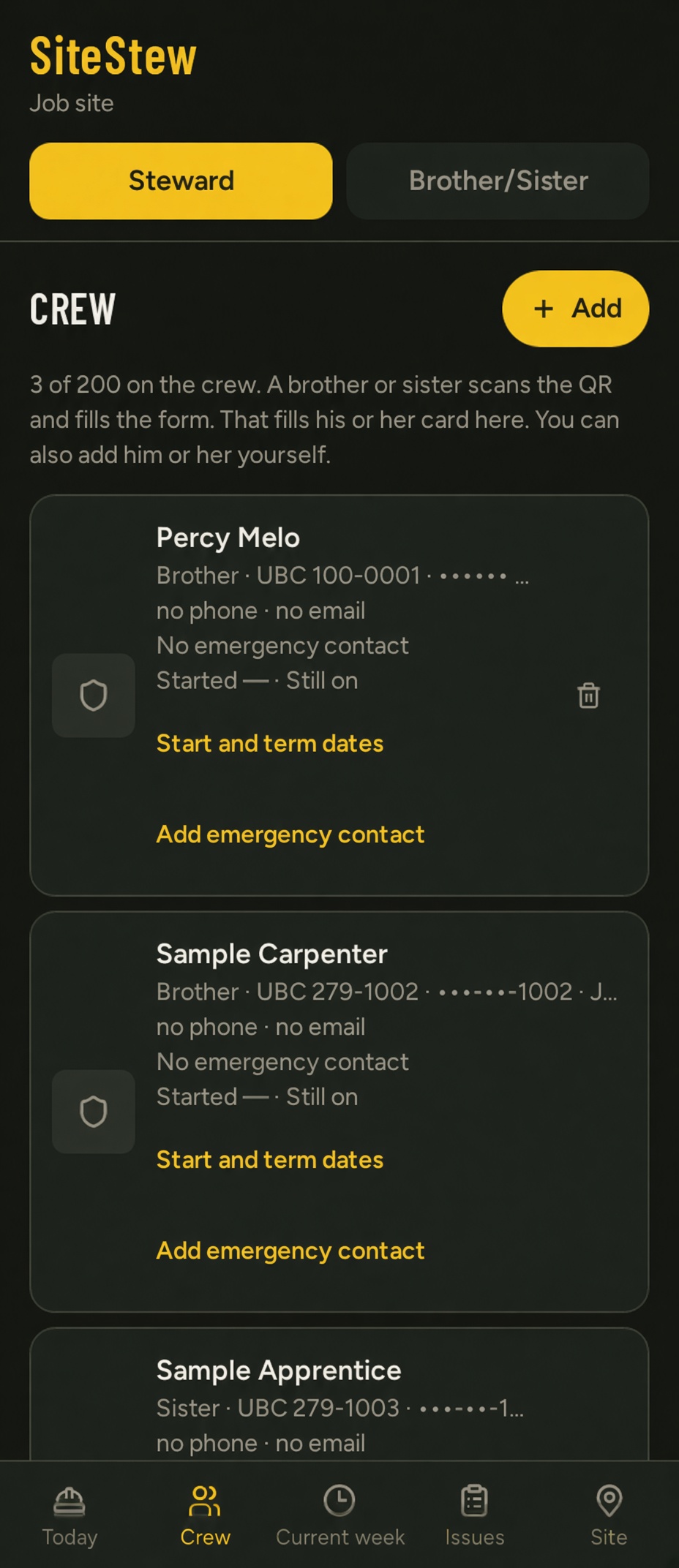
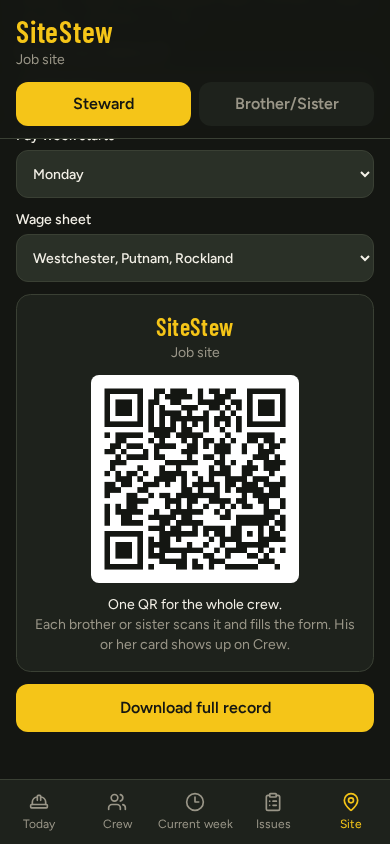
One QR code for the whole crew. Each brother or sister scans it, fills the card, and sets a password. That is the login from then on. You can add a name yourself. A site holds 200. The steward sees every card. A member sees his own.

WeekMember week

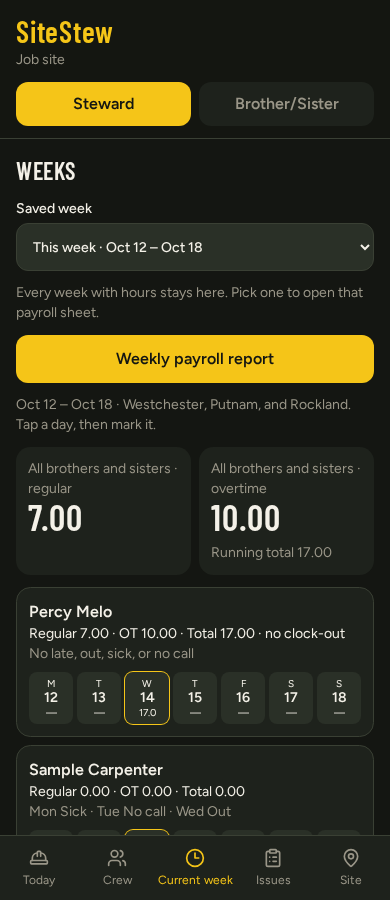
Current week

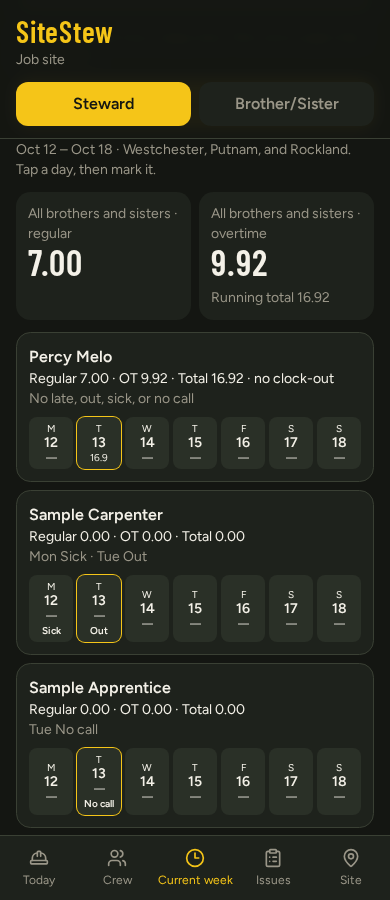
Regular hours, overtime, and the total, by the 7 or 8 you set, not by 40. Late, out, sick, no call, and off sit on the day they happened. For each site, your local’s contract rate loads with the local form. The titles, the job, and the dates fill from the Site page. The week is not deleted when it ends. Print it, or email it to your local.

Saved weekReport

Saved week

Every week with hours stays on that site. Open Saved week, pick the line, and that week’s sheet opens from the stored days, with that site’s rate. Last month’s overtime is not a reconstruction. Download the full record any time as the backup.

Member issuesSteward issues

Issues

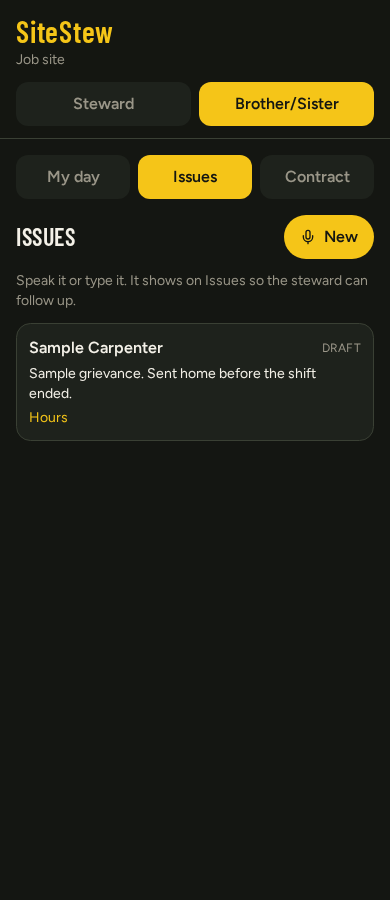
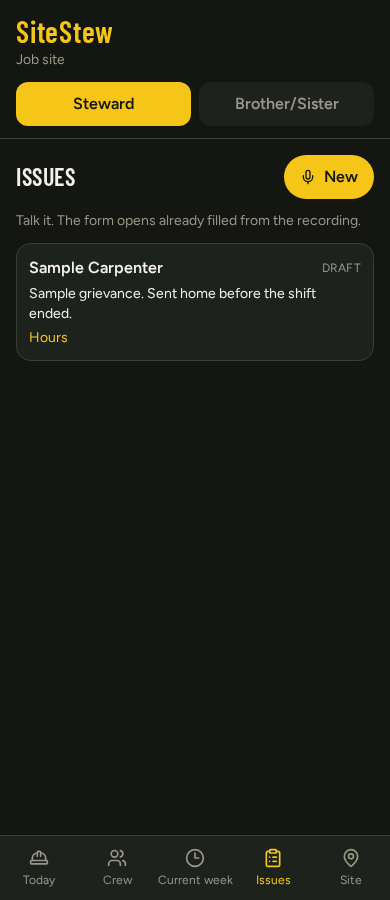
A concern, a grievance, a complaint. The brother or sister speaks it or types it on their own page. It lands on your Issues tab with the name and the words. You open it, you investigate, you follow up. You are not hearing it for the first time in the shanty. Nobody sees anyone else’s.

SiteSite pin and lock

Site

The job itself. Name, address, dates, foreman, contractor. Start time. The day the pay week starts. 7 or 8 hours before overtime. Your local’s wage sheet. Those fields are what the form fills from. Pin the job and lock clock-in to it. Lock off: you have allowed a punch from off-site. Download the full record any time.

Sample uses a publicly available union payroll form for demonstration only.

Open the job. Set it up once. After that Stewie keeps the book.

Open the app